Create fee notes for therapists - from calendar appointments
For Austrian therapists and practices: TimeInvoicer turns appointments into ready-to-share fee notes as PDFs.
You should be able to finish documentation and billing without reopening the whole workday in the evening.


We recommend an iPad or a tablet with a large screen if you want to take notes during sessions.
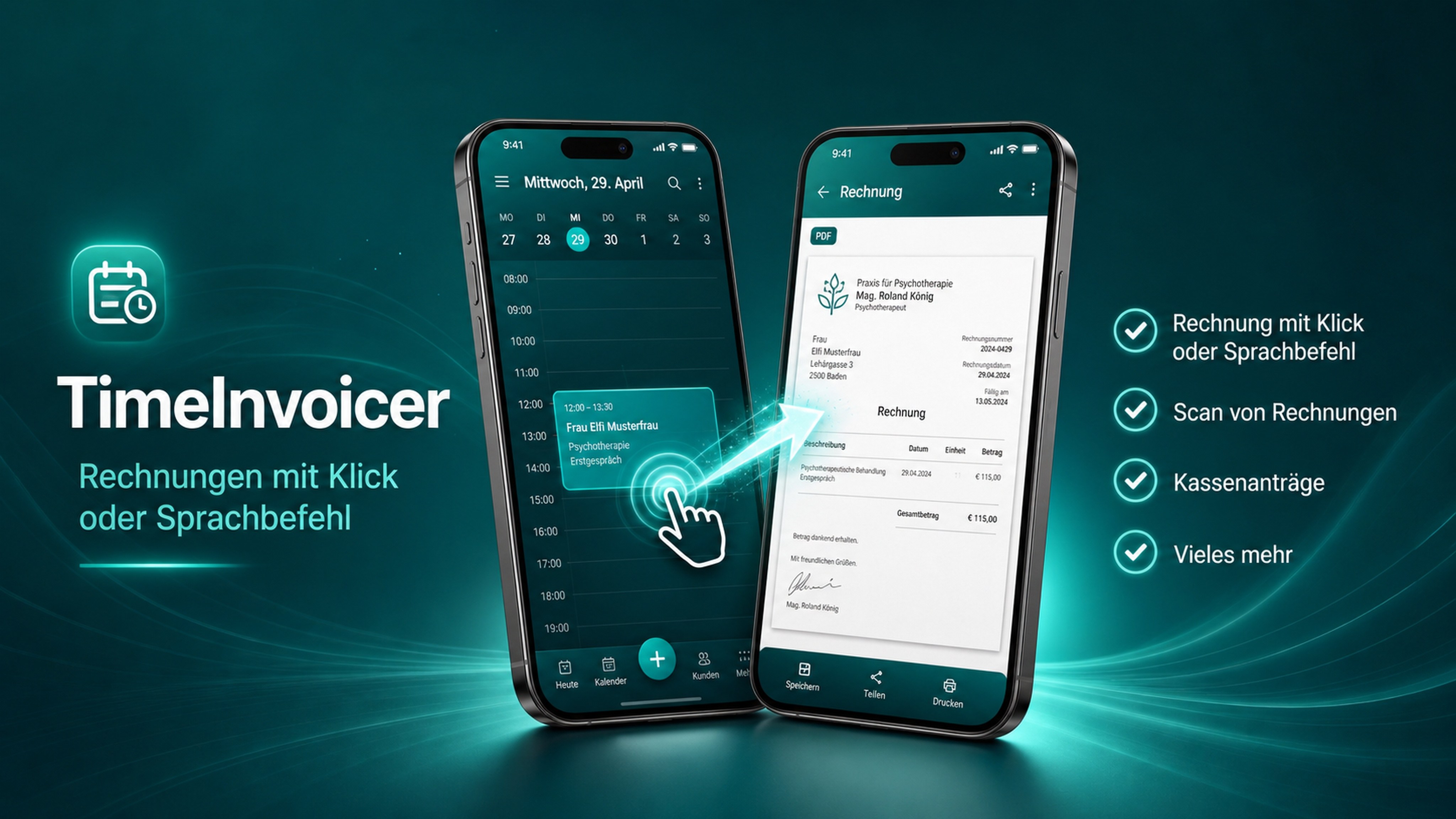
In 12 seconds
The invoice is done before your client leaves the room.
No slideshow — this is the real app, recorded on the device.
Why fee notes become complicated
A fee note has to be complete and correct, but many workflows ask you to maintain appointments, contacts and services twice.
Automatic fee notes from your calendar
TimeInvoicer reads your Android system calendar, prepares the fee note and lets you save, print or share the PDF.
Privacy-first by design
Sensitive practice data stays on the device. No mandatory account and no cloud workflow between you and your billing.
Less admin, more billable focus.
Prepare fee notes in seconds
A focused everyday workflow for appointment-based billing.
Use existing appointments
A focused everyday workflow for appointment-based billing.
PDF sharing and printing
A focused everyday workflow for appointment-based billing.
Track outstanding fee notes
A focused everyday workflow for appointment-based billing.
ICD-10 and reimbursement workflows in the Psy module
A focused everyday workflow for appointment-based billing.
Made for Austrian therapy practices
A focused everyday workflow for appointment-based billing.
Frequently asked questions
How do therapists create fee notes?
Set up services and practice details once, select the appointment and generate the fee note from the existing data.
What belongs on an Austrian fee note?
Typical details include provider data, client data where needed, service, date, amount, payment information and reimbursement-relevant details.
Can I create fee notes without the cloud?
Yes. TimeInvoicer is local-first and does not require cloud storage for fee-note creation.
Why use calendar-based fee notes?
Because the appointment is already documented. Billing from that source avoids retyping.
Turn your calendar into your billing source.
Try TimeInvoicer on Google Play and create invoices directly from appointments.
Create fee notes more easily - try TimeInvoicer